
Roborock QV 35A Robot Vacuum + All-in-One Multifunctional Dock review (2026)
The Roborock QV 35A is best understood as a mapping- and spec-forward system. With PreciSense LiDAR, 8000 Pa suction, dual spinning mops, and an all-in-one dock, it targets homes where room-level control and consistent multi-floor routines matter most. The main caveat to know upfront: it requires a 2.4 GHz Wi-Fi connection for setup. For a side-by-side shortlist (including alternatives), use our Robot Vacuum & Mop Comparison Chart (2026).
Disclosure: this review contains sponsored affiliate links. Affiliate disclosure. Specs and included items can vary by bundle or region. The spec snapshot below reflects manufacturer-published info as of January 2026.
- Best for: mixed-floor and multi-floor homes that want LiDAR mapping, strong suction, and an all-in-one dock for low-effort routines.
- Not ideal for: homes with 5 GHz-only Wi-Fi setups, or buyers who want a compact dock footprint.
- Expect: consistent room-based cleaning and strong mapping controls—if you keep brushes and the dock clean.
Who it is for (and not for)
Who it is for
- Mixed-floor homes that benefit from room-by-room schedules (vacuum here, mop there, avoid rugs).
- People who want robust map controls: room naming, precise no-go zones, and targeted zone cleaning.
- Multi-floor homes where saving separate maps per level matters.
- Anyone prioritizing strong suction on both carpet and hard floors.
Who it is not for
- Homes where the router only broadcasts 5 GHz—setup requires a 2.4 GHz connection.
- Anyone who wants a compact dock footprint; the All-in-One station is large.
- Buyers who will rarely use the mapping or zoning features—simpler robots may suit better.
What to check before you buy
- Confirm your Wi-Fi band: the QV 35A requires 2.4 GHz for setup—verify your router supports it before purchasing.
- Measure the dock spot: the All-in-One station needs floor space and clearance on all sides.
- Check warranty terms for the dock: water components add complexity—verify what's covered and for how long.
- Look up consumables: dust bags, mopping pads, and filters should be readily available for your region.
- Plan your prep pass: obstacle avoidance helps, but cords, socks, and small objects still trip up most robots.
If you are still choosing your first robot, use the buying guide first.
Specs snapshot (January 2026)
| Robot dimensions | 13.78 × 13.9 × 3.80 in (manufacturer spec) |
|---|---|
| Robot weight | 25.57 ± 0.66 lbs (manufacturer spec) |
| Suction | 8000 Pa HyperForce (manufacturer claim) |
| Mopping | Dual spinning mops; up to 200 RPM max speed (manufacturer claim) |
| Navigation | PreciSense LiDAR (360° scan) + Reactive Tech obstacle avoidance |
| Battery | 5200 mAh lithium (manufacturer spec) |
| Onboard dustbin | 330 ml (manufacturer spec) |
| Wi-Fi | 2.4 GHz only (manufacturer note) |
| Threshold crossing | Up to 2 cm (manufacturer claim) |
We do not guess specs that are not clearly published. Always verify the current listing and the official manual.
All-in-One Dock workflow (real-life maintenance)
The All-in-One Multifunctional Dock handles the three core tasks that make robot ownership low-effort: auto dust emptying, mop washing, and mop drying. The trade-off is size, dock hygiene, and ongoing consumable costs.
What the dock handles
- Auto-empties the onboard dustbin into a disposable bag—fewer bin-dump interruptions.
- Washes and dries the spinning mop pads after each mop run (drying method may vary by version).
- Keeps the robot ready for the next scheduled run without daily manual prep.
What you still need to do
- Replace dust bags when full and clean the bag compartment periodically.
- Rinse the dock's water tray and any dirty-water tank to prevent residue and odors.
- Remove hair from the main brush and side brushes—the dock does not handle this.
- Replace pads, filters, and brushes on a schedule matching your usage.
Mopping system: what to expect
Dual spinning mops at up to 200 RPM are more effective than a simple pad drag for footprints and light sticky spots—but this is still maintenance mopping, not deep scrubbing.
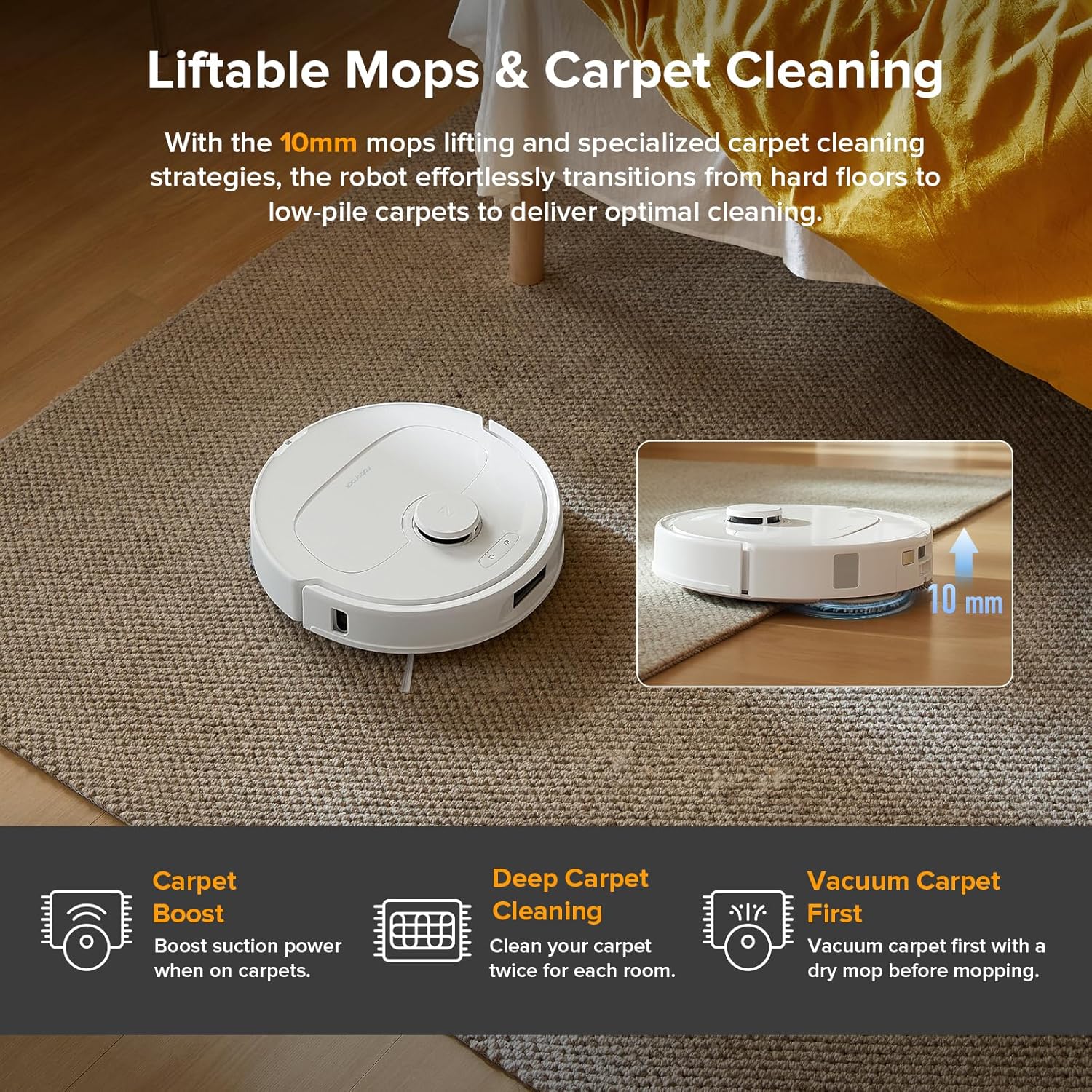
- Auto mop lifting: the robot lifts the mops automatically when it detects carpet, keeping rugs dry.
- Best use: frequent light passes in kitchens, entries, and hard-floor living areas.
- Thresholds: marketed to cross bumps and thresholds up to 2 cm—useful for mixed-floor homes.
- Hygiene: the dock washes and dries pads after runs, which reduces odor compared to models with manual pad care.
The 2.4 GHz Wi-Fi caveat
This is the most common friction point reported for the QV 35A. The robot requires a 2.4 GHz Wi-Fi connection during setup and for ongoing app control.
- If your router broadcasts both 2.4 GHz and 5 GHz on the same network name, your phone may connect to 5 GHz automatically during setup—and the robot will fail to pair.
- Fix: temporarily separate the two bands in your router settings (give 2.4 GHz its own name), complete setup, then restore your settings.
- If your router is 5 GHz only, this robot is not compatible without a separate access point or router that supports 2.4 GHz.
Check your router's admin panel before purchasing if you are unsure which bands it broadcasts.
Maintenance and consumables
The dock handles mop pad care and bin emptying, but brush and filter maintenance is still your responsibility. With 8000 Pa suction, the brushes pick up debris fast—which means they need cleaning just as fast.
- Weekly: remove hair from the main brush and side brushes; wipe sensors; check the dock tray.
- Monthly: deep clean brush housing and wheels; rinse dock water components; inspect the dust bag.
- As needed: replace dust bags, mopping pads, filters, and side brushes per the manual and your usage.
Use the full checklist here: Robot Vacuum & Mop Maintenance Guide (2026).
Pet home? Read: Robot vacuum + mop for pets (2026).
In the box
- Roborock QV 35A robot vacuum (1)
- All-in-One Multifunctional Dock with disposable dust bag pre-installed (1)
- Mopping modules (2)
- Dock base (1)
- Power cable (1)
- User manual (1)
Always verify the current bundle contents on the listing you purchase—contents can vary by retailer and region.
Photos
Video
Alternatives
If you are not sure the Roborock QV 35A is the right fit, use the comparison chart to shortlist based on your home, floors, and routine priorities.
FAQ
Who should buy the Roborock QV 35A?
It is a strong fit for mixed-floor homes that want robust LiDAR mapping, room-by-room scheduling, and strong suction—especially if you want the dock to handle dust emptying and mop care automatically.
Does the 2.4 GHz Wi-Fi limitation matter?
It depends on your setup. If your router broadcasts both 2.4 GHz and 5 GHz on the same network name, you may need to separate them temporarily during setup. Check your router before buying.
Is 8000 Pa suction necessary?
For most homes, the limiting factor is navigation and brush maintenance—not raw suction. High suction helps on carpet and heavy debris, but daily results depend more on how often you run the robot and keep the brush clean.
Does it replace deep mopping?
No. The dual spinning mops are built for maintenance passes—dust, footprints, and light spills. Sticky residue, grout, and edges still need occasional manual mopping.
What should I check before buying?
Confirm your Wi-Fi supports 2.4 GHz, measure the dock space, verify warranty terms for the dock water components, and check that replacement bags, pads, and filters are easy to source in your region.